How to Clone Your Own Voice for YouTube Videos (Free & Easy Guide)
Are you tired of spending hours recording and re-recording voiceovers for your YouTube videos? Do you wish there was a faster, more consistent way to create professional-sounding narration without breaking the bank?
You're not alone. Content creators everywhere are discovering the power of AI voice cloning technology to streamline their workflow and maintain a consistent brand voice across all their content.

The Problem: Traditional Voiceover Recording is Time-Consuming
As a content creator, you know the struggle:
- Multiple takes: Recording the same line 10+ times to get it right
- Inconsistent quality: Your voice sounds different depending on time of day, energy levels, or environment
- Time-consuming editing: Cutting, splicing, and cleaning up audio takes hours
- Expensive equipment: Professional microphones, soundproofing, and audio software add up
- Scheduling conflicts: Can't record when inspiration strikes if you're not near your setup
According to industry research, content creators spend an average of 3-5 hours on voiceover work for a single 10-minute video. That's time you could be spending on scripting, filming, or growing your channel.
The Solution: AI Voice Cloning
AI voice cloning technology has revolutionized how creators approach voiceovers. Here's what makes it game-changing:
What is Voice Cloning?
Voice cloning uses advanced AI to analyze a sample of your voice and create a digital model that can generate speech in your voice from any text. The result? Natural-sounding voiceovers that sound exactly like you, generated in seconds.
Want to understand the technology better? Check out our guide on best practices for recording audio samples to ensure the highest quality voice clones.

Benefits for YouTube Creators
- Save Time: Generate voiceovers in seconds instead of hours
- Consistency: Your voice sounds the same every time
- Flexibility: Create content anytime, anywhere - no recording setup needed
- Cost-Effective: Free or low-cost compared to hiring voice actors
- Easy Editing: Change your script and regenerate instantly - no re-recording
Step-by-Step Guide: Clone Your Voice for Free
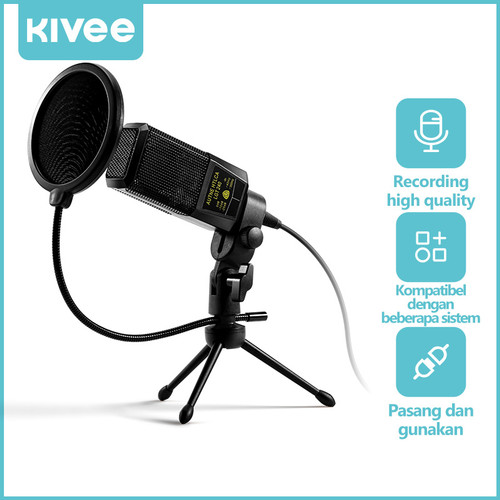
Step 1: Record Your Voice Sample
To create a high-quality voice clone, you need a clean audio sample. For detailed recording techniques, see our comprehensive guide on recording perfect audio samples for AI voice cloning. Here's a quick overview:
Recording Tips:
- Use a quiet environment (minimize background noise)
- Record 1-2 minutes of clear speech
- Speak naturally - don't try to sound "professional"
- Include varied emotions and tones
- Use your normal speaking pace
What to Say: Read a script that includes different sentence types, emotions, and your natural speaking style. This helps the AI capture your unique voice characteristics.
Step 2: Upload to AI Voice Cloning Platform
- Visit our AI voice cloning platform
- Create a free account
- Upload your audio sample (MP3, WAV, or M4A format)
- Wait 10-30 seconds for processing
The AI analyzes your voice's unique characteristics:
- Tone and pitch
- Speaking rhythm and pace
- Emotional range
- Accent and pronunciation
Step 3: Generate Your First Voiceover
Now comes the magic:
- Type or paste your video script
- Click "Generate"
- Listen to the preview
- Download your voiceover (MP3 format)

Step 4: Edit and Refine
Most AI voice cloning tools let you:
- Adjust speaking speed
- Add pauses
- Emphasize certain words
- Regenerate specific sections
Pro Tip: Record sentence by sentence instead of trying to nail your entire script in one go. This technique works whether you're filming talking-head content, recording voiceover videos, or creating educational content.
Step 5: Import to Your Video Editor
Once you have your voiceover:
- Download the MP3 file
- Import into your video editor (CapCut, Premiere Pro, Final Cut, etc.)
- Sync with your visuals
- Add music and sound effects as needed

Real Creator Success Stories
Case Study: Tech Review Channel
Before AI Voice Cloning:
- 4 hours per video on voiceover work
- Inconsistent audio quality
- Limited upload schedule (2 videos/week)
After AI Voice Cloning:
- 15 minutes per video on voiceover
- Consistent, professional sound
- Increased to 5 videos/week
- Channel growth: +300% in 3 months
Case Study: Educational Content Creator
Challenge: Creating multilingual content for global audience
Solution: Clone voice once, generate voiceovers in English, Spanish, and Chinese
Result: 3x audience reach with same production time
Best Practices for YouTube Voiceovers
1. Script Optimization
Write for the ear, not the eye:
- Use conversational language
- Keep sentences short and punchy
- Include natural pauses
- Add emphasis markers for important points
2. Audio Quality Matters
Even with AI voice cloning:
- Start with a clean voice sample
- Use noise removal tools if needed
- Export at high quality (320kbps MP3 minimum)
- Test on different devices before publishing
3. Maintain Your Brand Voice
Your voice clone should sound like you:
- Review and adjust generated audio
- Keep your natural speaking style
- Don't over-edit or make it sound robotic
- Stay authentic to your personality
Common Questions
Is AI voice cloning legal for YouTube?
Yes! When you clone your own voice, you own the rights. For a detailed comparison of AI voice cloning vs. hiring voice actors, including legal considerations, read our cost and quality breakdown. You can use it freely for:
- YouTube videos (monetized or not)
- Podcasts
- Online courses
- Social media content
Will viewers notice it's AI?
Modern AI voice cloning is incredibly realistic. Most viewers won't notice, especially if you:
- Use a high-quality voice sample
- Generate natural-sounding speech
- Add appropriate emotion and pacing
Can I clone other voices?
You should only clone voices you have permission to use:
- ✅ Your own voice
- ✅ Voices you've licensed
- ✅ Voice actors you've hired
- ❌ Celebrity or public figure voices (without permission)
Tools and Resources
Recommended AI Voice Cloning Platforms
-
Our Platform (Free tier available)
- Easy-to-use interface
- High-quality output
- Fast generation
- Multiple language support
-
Alternative Options
- ElevenLabs (paid)
- Play.ht (paid)
- Resemble.ai (paid)
Video Editing Software
- CapCut: Free, beginner-friendly
- DaVinci Resolve: Free, professional-grade
- Adobe Premiere Pro: Industry standard (paid)
- Final Cut Pro: Mac users (paid)
Conclusion: Transform Your Content Creation Workflow
AI voice cloning isn't about replacing your authentic voice - it's about amplifying your ability to create consistent, high-quality content efficiently.
By following this guide, you can:
- Cut voiceover production time by 90%
- Maintain consistent audio quality
- Scale your content production
- Focus on what matters: creating great videos
Ready to clone your voice and revolutionize your YouTube workflow?
Get Started Free: Upload your voice sample and generate your first voiceover in under 5 minutes.
Related Resources:
- AI Voice Cloning vs. Hiring Voice Actors: Cost & Quality Comparison
- Perfect Audio Sample Recording Guide
- Try Our Voice Cloning Tool
Have questions about voice cloning for YouTube? Drop them in the comments below!